How to create an overpack
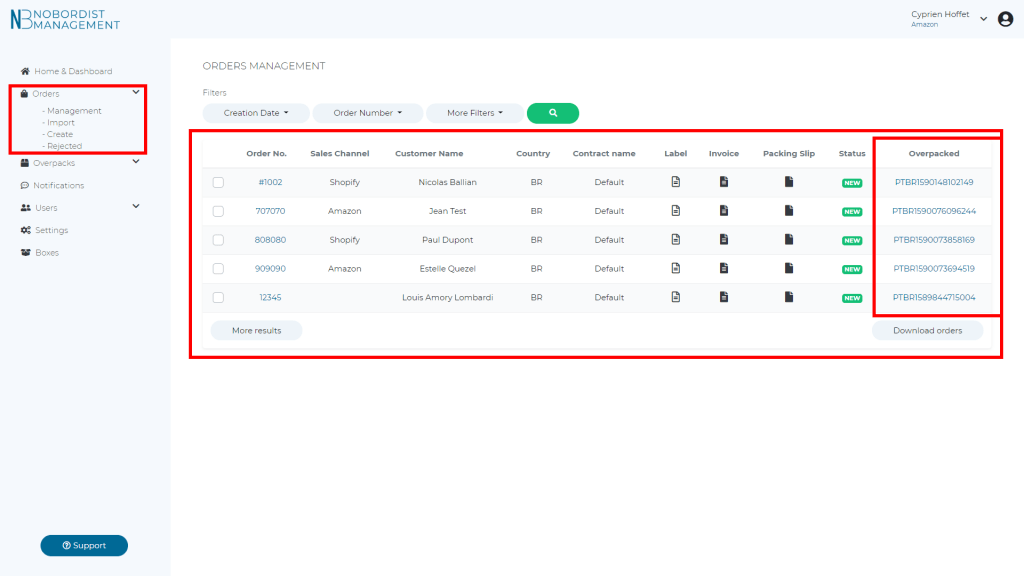
Step #1 : Select the orders of the overpack :
- Click on “Orders” menu
- Click on “Management” inside of the drop-down menu “Orders”
- You can see all your orders filtered by creation date (The first line is the last order created)
- On the last column on the right, you can see if your order is already affiliated to an overpack.
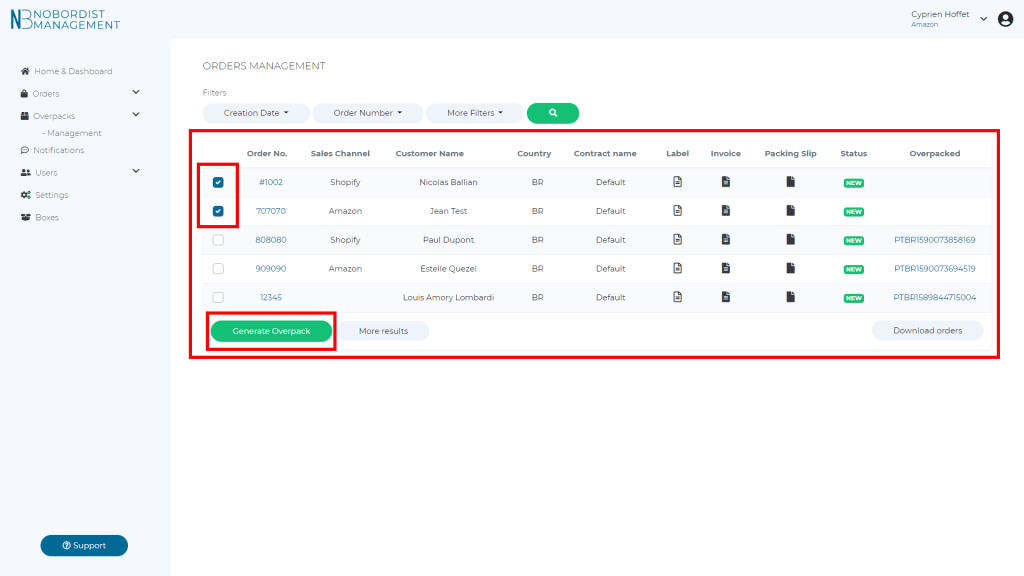
Step #2 : Generate the overpack :
- Select the orders you want to include in your overpack
- Click on the check box on the left column to select your orders
- A green button “Generate Overpack” will appears below this column
- When you are finished selecting your orders click on “Generate Overpack”
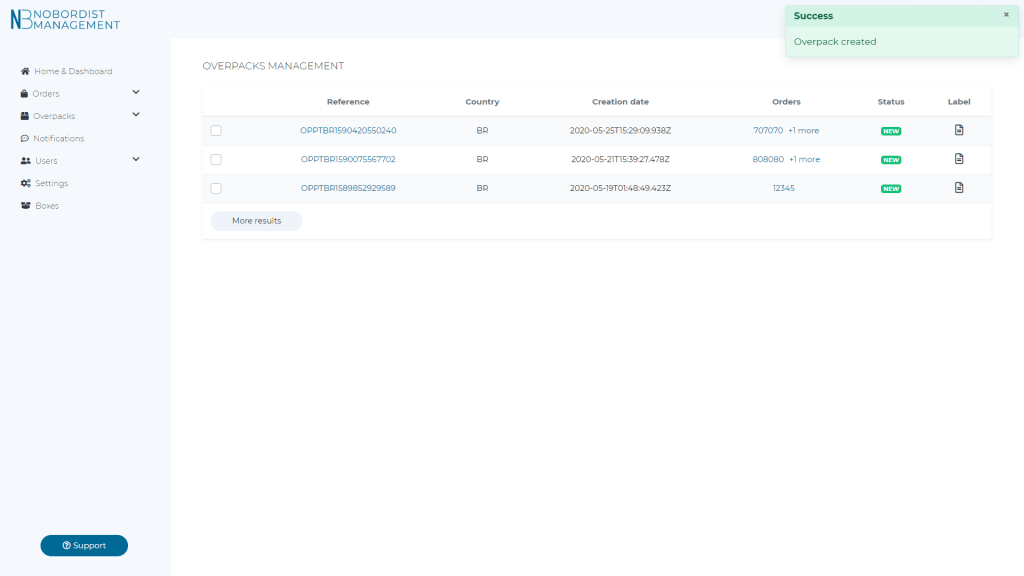
Step #3 : You successfully created you overpack